Getting Started
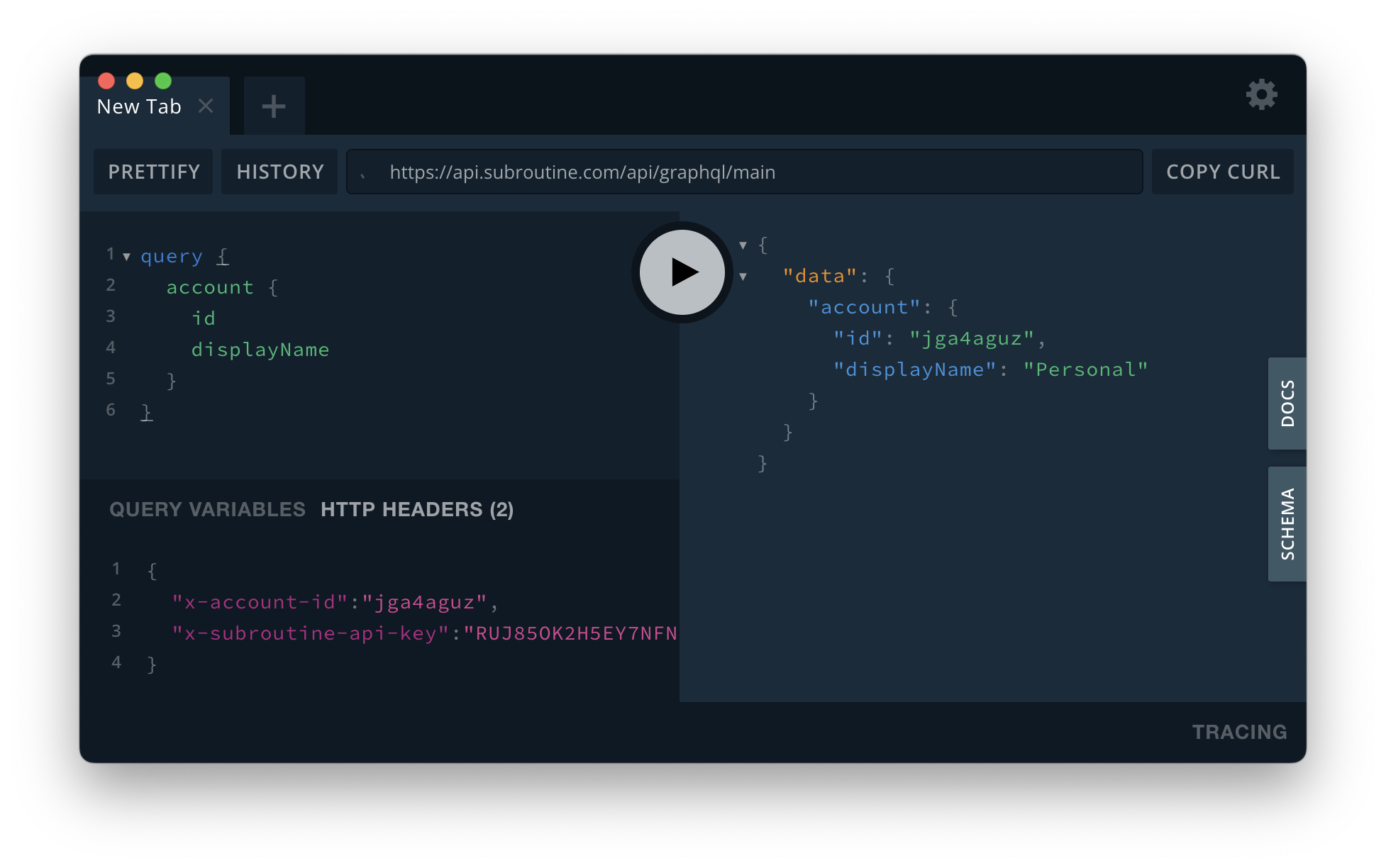
The Subroutine API is available at https://api.subroutine.com/api/graphql/main.
Authentication
To obtain an API key and client secret, you can navigate to the API Keys section in Subroutine's Admin panel.
Every request must include an x-api-key header. The value of this header should be the the ID of the api key, and not a client secret!
Additionally, you have to include x-signature header. This header is a SHA256 HMAC signature of the request's payload. As an example:
const payload = "stringified json payload";
const signature = crypto.createHmac("sha256", clientSecret).update(payload).digest("hex");

const headers = {
  "x-api-key": apiKeyId,
  "x-signature": signature,
};
For ease of usage you can set up your GraphQL client to always sign the payloads.
import crypto from "crypto";

const apiKeyId = process.env.SUBROUTINE_API_KEY_ID;
const apiClientSecret = process.env.SUBROUTINE_API_CLIENT_SECRET;

const customFetch = async (uri: URL | RequestInfo, options: any = {}) => {
  if (options.headers && options.headers["Content-Type"] === "application/json") {
    const payload = options.body;
    const signature = crypto.createHmac("sha256", clientSecret).update(payload).digest("hex");

    const headers = {
      ...options.headers,
      "x-api-key": apiKeyId,
      "x-signature": signature,
    };

    const fetchOptions: RequestInit = {
      ...options,
      method: options.method || "POST",
      headers,
      body: payload,
    };

    return fetch(uri, fetchOptions);
  } else {
    return fetch(uri, options);
  }
};

const graphQLClient = new GraphQLClient("https://api.subroutine.com/graphql", {
  fetch: customFetch,
});
Testing the API
You can use any GraphQL client library, or a tool such as GraphQL Playground to test your integration. To validate whether your setup works, you can run an example query:
query {
  account {
    id
    displayName
  }
}